 MacTidy
Pulse
A fast answer to "what should I fix on my Mac first?"
Pulse is MacTidy's whole-Mac checkup. It brings cleanup and security checks together: disk space, rebuildable junk, pending updates, protection status and current system vitals.
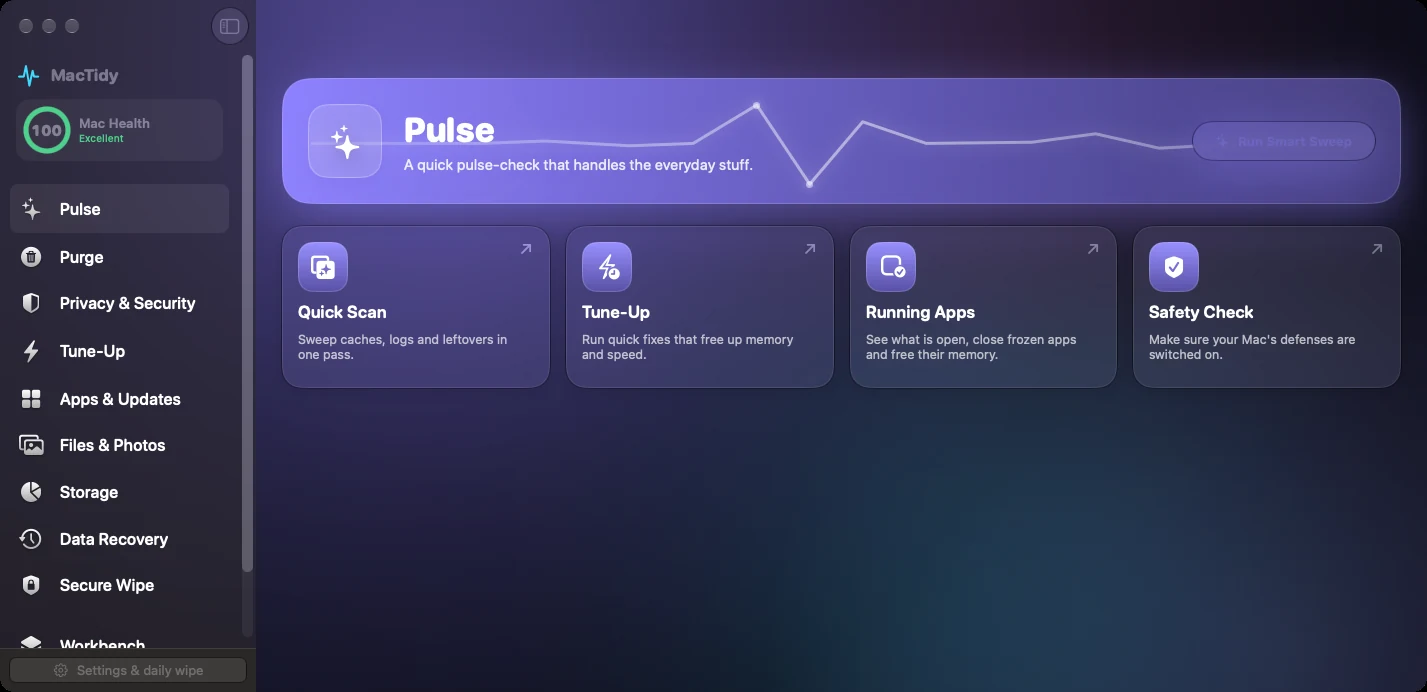
What it checks
Pulse calls the overview check across cleanup lists, protection checks, updates, malware status, logs and live system stats. It is a dashboard, not a blind cleaner.
Why you need it
Mac slowdowns rarely have one cause. A full startup drive, stale security updates, busy memory and noisy background services can feel the same. Pulse helps you choose the next step.
What happens next
Each card opens the matching MacTidy area, such as Purge, Protection, Storage or Vitals, where you review details before running cleanup or changing settings.
Useful for weekly Mac care
Run Pulse before a cleanup session, after installing a batch of apps, before travel, or any time your Mac feels off. It can surface "safe to rebuild" caches separately from your personal files, so cleanup decisions stay visible.
Pulse does not claim that a score makes a Mac safe. It is a triage layer that points to verifiable settings and review screens.
Gallery note
The Pulse screenshot shows the live app overview. Related gallery images include checkup scanning, checkup results and checkup details.
Pulse FAQ
Can Pulse clean my Mac automatically?
No. Pulse points you toward cleanup and protection actions. Cleanup screens still show what they found before anything is removed.
Is Pulse a security audit?
It is a practical security checkup. For deeper settings, open Mac Privacy & Security to review FileVault, firewall, Gatekeeper, System Integrity Protection, malware signals and privacy permissions.