 MacTidy
Vitals
Know whether your Mac is busy, full or actually stuck.
Vitals shows live system context: CPU, memory, disk and protection status. It supports Tune-Up and Pulse by showing what changed after you close apps, free memory, update software or clean storage.
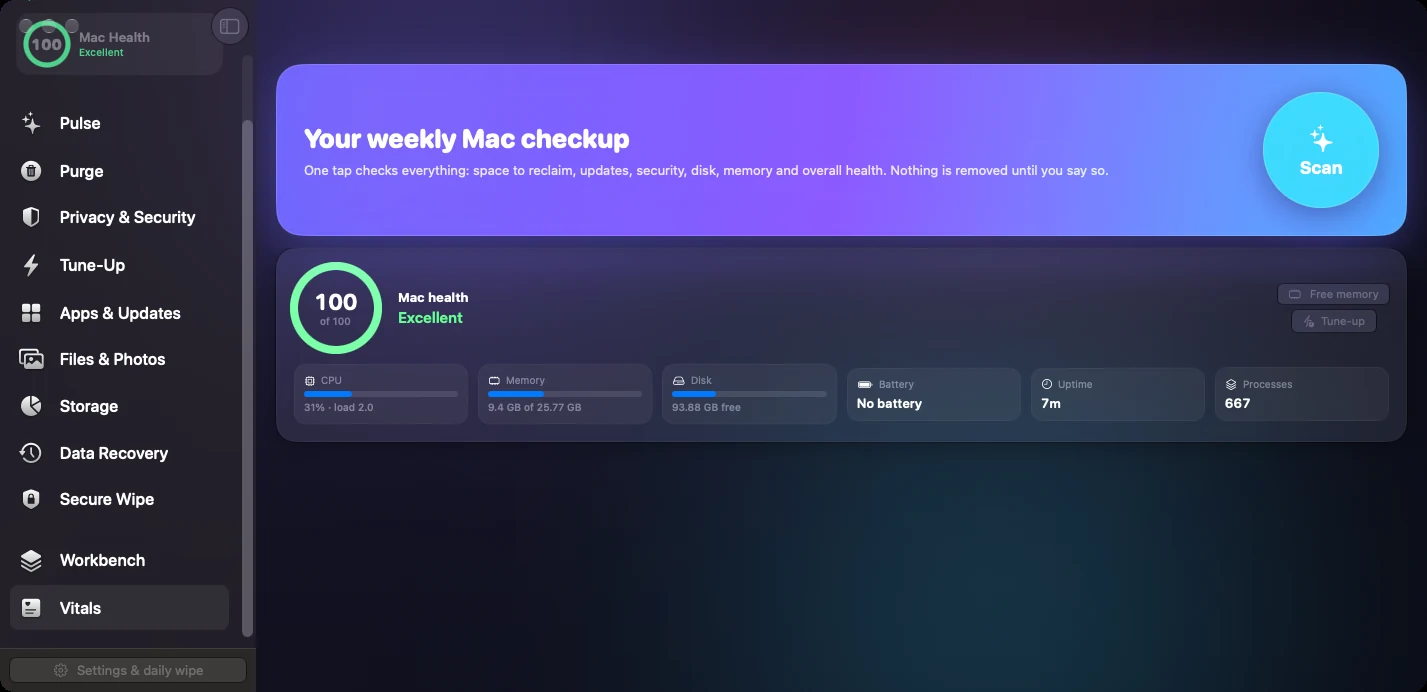
CPU and memory
See current resource pressure and connect it to running apps or stuck processes.
Disk status
Storage context helps decide whether to open Clean My Mac, Files & Photos or Storage Map.
Protection status
A quick view of whether key security checks need attention before you move on.
When Vitals helps
Use Vitals before and after cleanup, during a slow Mac diagnosis, or when a machine feels hot and unresponsive. It gives plain status first, with deeper tools one click away.
Vitals does not replace Activity Monitor for deep process analysis. It is a practical status layer for people who want to decide whether to clean, tune up, update or investigate.
Menu bar context
The menu bar widget can keep health, CPU, memory, disk and protection status close while you work.
Vitals FAQ
Does Vitals free memory automatically?
Vitals shows status and provides routes to running-app and tune-up tools. Any action is explicit.
Can Vitals tell me exactly why my Mac is slow?
It can point to likely areas: busy CPU, memory pressure, full disk, stuck apps or missing updates. Some issues still require inspecting apps, logs or hardware.