 MacTidy
Guide / Mac developer cleanup
Mac developer cleanup: Xcode, node_modules, virtualenvs and build caches
Clean developer clutter on a Mac by reviewing Xcode DerivedData, simulators, node_modules, Python environments, package caches and logs.
Sources checked: Apple Xcode build system notes, Homebrew FAQ, Homebrew manpage, and MacTidy features.
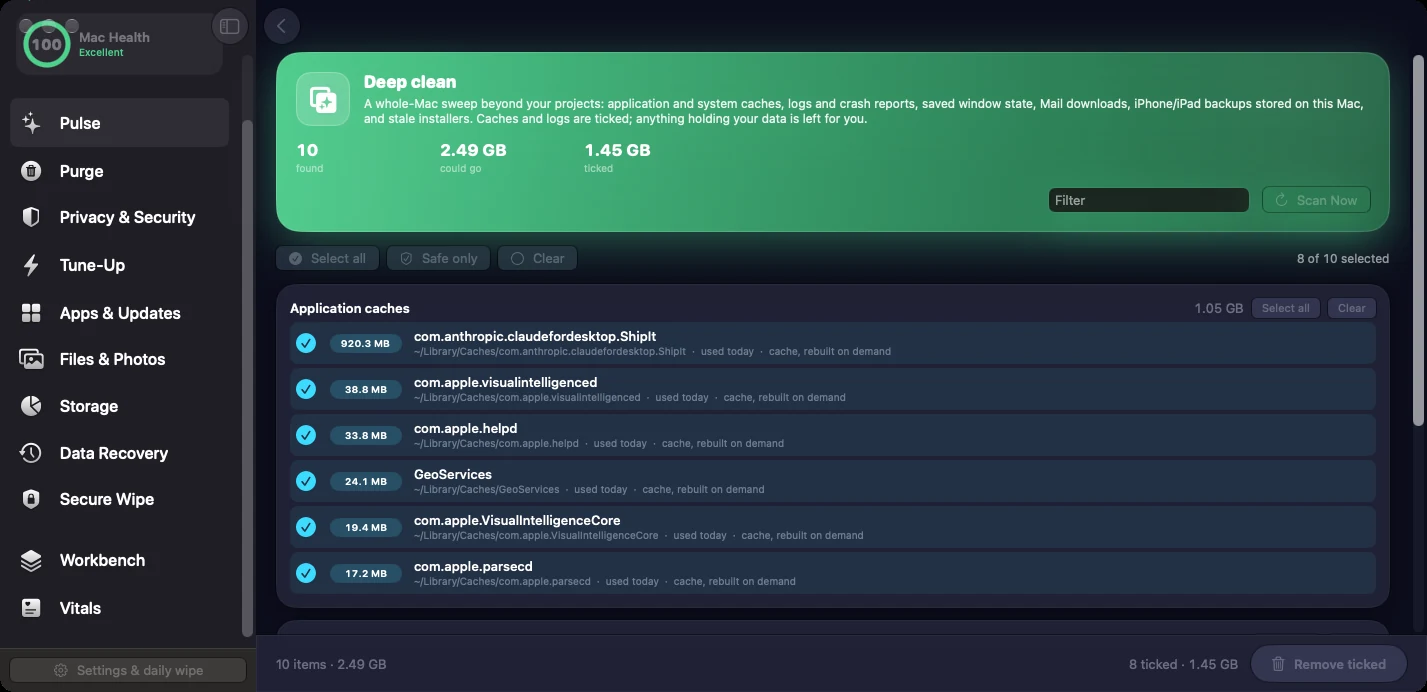
Developer Macs fill up differently from ordinary Macs. The biggest waste is often not downloads or browser cache. It is build output, DerivedData, simulator runtimes, package-manager caches, Docker layers, Playwright browsers, language toolchains, node_modules, virtual environments, and model downloads. Most of it can be rebuilt, but rebuilding can cost time, bandwidth, and broken local state.
Clean by rebuild cost
Start with artifacts that are clearly generated and cheap to recreate. Old project build folders, logs, coverage output, and framework caches are usually better first targets than active dependency folders. Xcode's build system documentation references clean build behavior, and Homebrew documents cache and cleanup commands, but the details still depend on what you are building today. Do not remove a cache minutes before a demo if the reinstall could take an hour.
Close IDEs, simulators, package managers, and running dev servers before cleanup.
Delete obvious build output: dist, build, coverage, logs, and old temporary folders in inactive projects.
Review Xcode DerivedData, old archives, unavailable simulators, and device support files by age and size.
Use package-manager cleanup commands where available, such as Homebrew cleanup, instead of deleting random cellar or cache internals.
Keep active project dependencies if you are offline, pinned to old registries, or unsure you can reinstall them.
Where MacTidy helps
MacTidy grew out of a developer cleanup engine. The README lists project caches, tool caches, Xcode, simulators, npm, pnpm, uv, pip, cargo, Gradle, Go, Playwright, Docker, AI model caches, and assistant caches. It also calls out a safety rule: tracked git files and configured keep paths are protected, and anything not clearly safe is treated as your decision. That approach fits developer cleanup because context matters more than file extension.
Use MacTidy to surface the big rebuildable piles, then decide by project status. If a repo is active, leave its environment alone unless you want a fresh install. If a repo is archived, project caches and generated folders are good candidates. If a package cache belongs to Homebrew, npm, pnpm, uv, pip, Cargo, or Gradle, prefer the tool's own cleanup behavior when possible because package managers track state beyond raw files.
Special caution for AI and mobile work
Model downloads, simulator runtimes, device support folders, and browser binaries can be huge. They also take time to restore. Delete old versions you can name and reinstall, not the only copy you need for a current client or test matrix. For iOS work, keep artifacts tied to supported OS versions and physical devices you still test.
Before a large cleanup, commit or stash project work and make sure package lockfiles are present. The cleaner should not touch tracked files, but good repository hygiene makes rebuilds and dependency reinstalls far less stressful. If a repo has no lockfile or uses private registries, treat its environment as expensive until proven otherwise.
Developer rule. Rebuildable does not mean free. Clean what you can rebuild on your schedule, with the network and credentials you need.
Related guides
Pair this with Mac storage analyzer to find the biggest tool folders first and clear Mac cache for everyday cache cleanup. If an old app installed developer helpers, use uninstall Mac apps.
FAQ
Is Xcode DerivedData safe to delete?
It is generally rebuildable, but close Xcode first and expect the next build or index to take longer.
Should I delete node_modules or virtual environments?
Only when you can reinstall dependencies. Keep active project environments if you are offline, pinned to old packages, or near a deadline.
Can MacTidy clean developer caches?
Yes. MacTidy scans project caches, tool caches, Xcode, simulators, package managers, Docker, Playwright, and AI-related caches for review.
What is the safest developer cleanup target?
Old build output, logs, coverage folders, inactive project caches, and package-manager caches with official cleanup commands are usually safer than active dependencies.