 MacTidy
Secure Wipe
Delete sensitive Mac files with a clearer view of the limits.
Secure Wipe is for files and traces you mean to remove deliberately. It pairs permanent deletion tools with Trace Search, Trash Watch, Backup and Model Archive so you can find related copies before you decide.
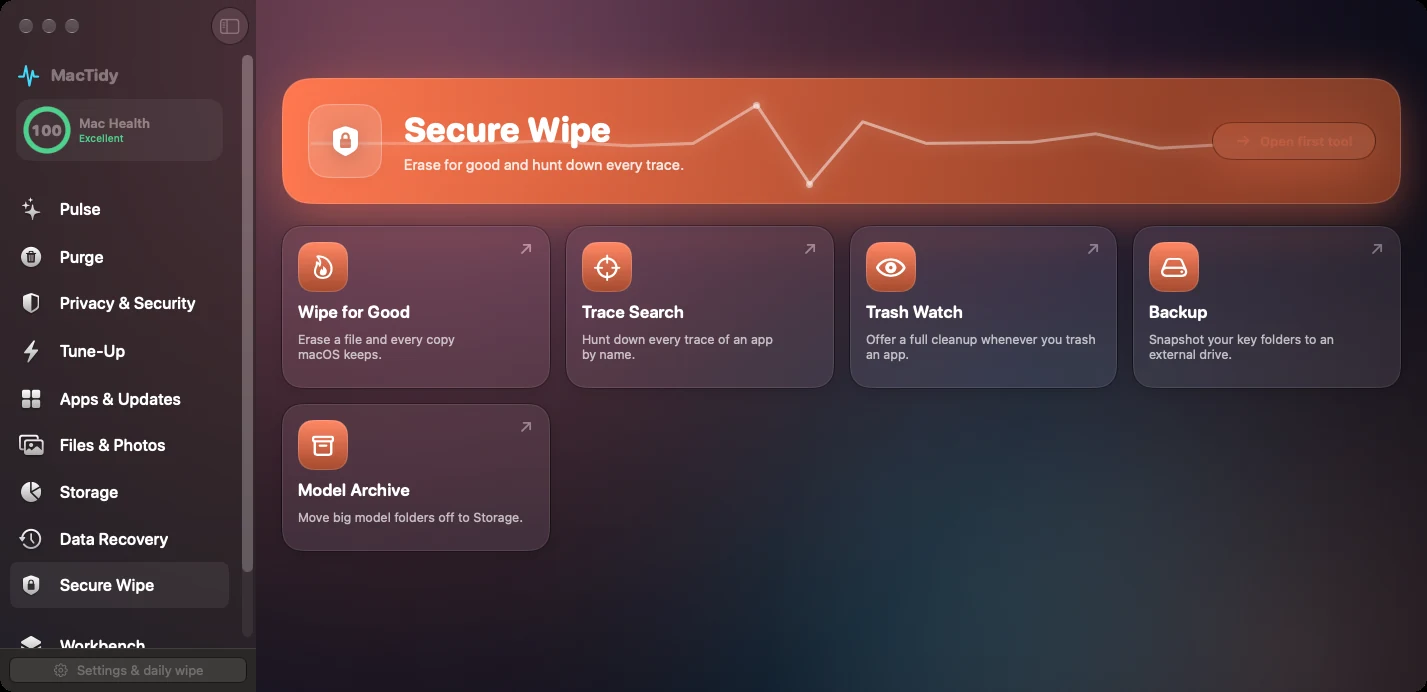
Wipe for Good
Use this when normal Trash deletion is not enough and you intend to remove selected files permanently.
Trace Search
Search for app names, leftovers and related paths so a sensitive removal does not miss the obvious copies.
Trash Watch
When MacTidy is open, it can watch for app bundles moved to Trash and offer to clear leftovers.
Why secure deletion is different on modern Macs
SSDs, APFS snapshots and encryption change what "overwrite this file" means. A thoughtful secure wipe workflow first asks where copies might exist: Trash, snapshots, app support folders, backups, synced folders and model archives.
MacTidy explains when deletion is the right tool and when whole-disk encryption, account cleanup or backup removal matters more.
Secure Wipe FAQ
Is Secure Wipe the same as emptying Trash?
No. Emptying Trash removes directory references. Secure Wipe is a deliberate workflow for selected files and known traces, with stronger warnings.
Should I use Secure Wipe for normal cleanup?
Usually no. Use Clean My Mac or Files & Photos for ordinary cleanup. Use Secure Wipe only when you understand the file is sensitive and you want permanent removal where macOS and the drive type allow it.