 MacTidy
For macOS 26 and 27
Clean, protect and recover your Mac.
MacTidy shows you every file before it deletes one. It spells out what each security setting will cost you before you turn it on. Nothing happens until you say so.
$19.99 a year after the trial. No account needed to use it.
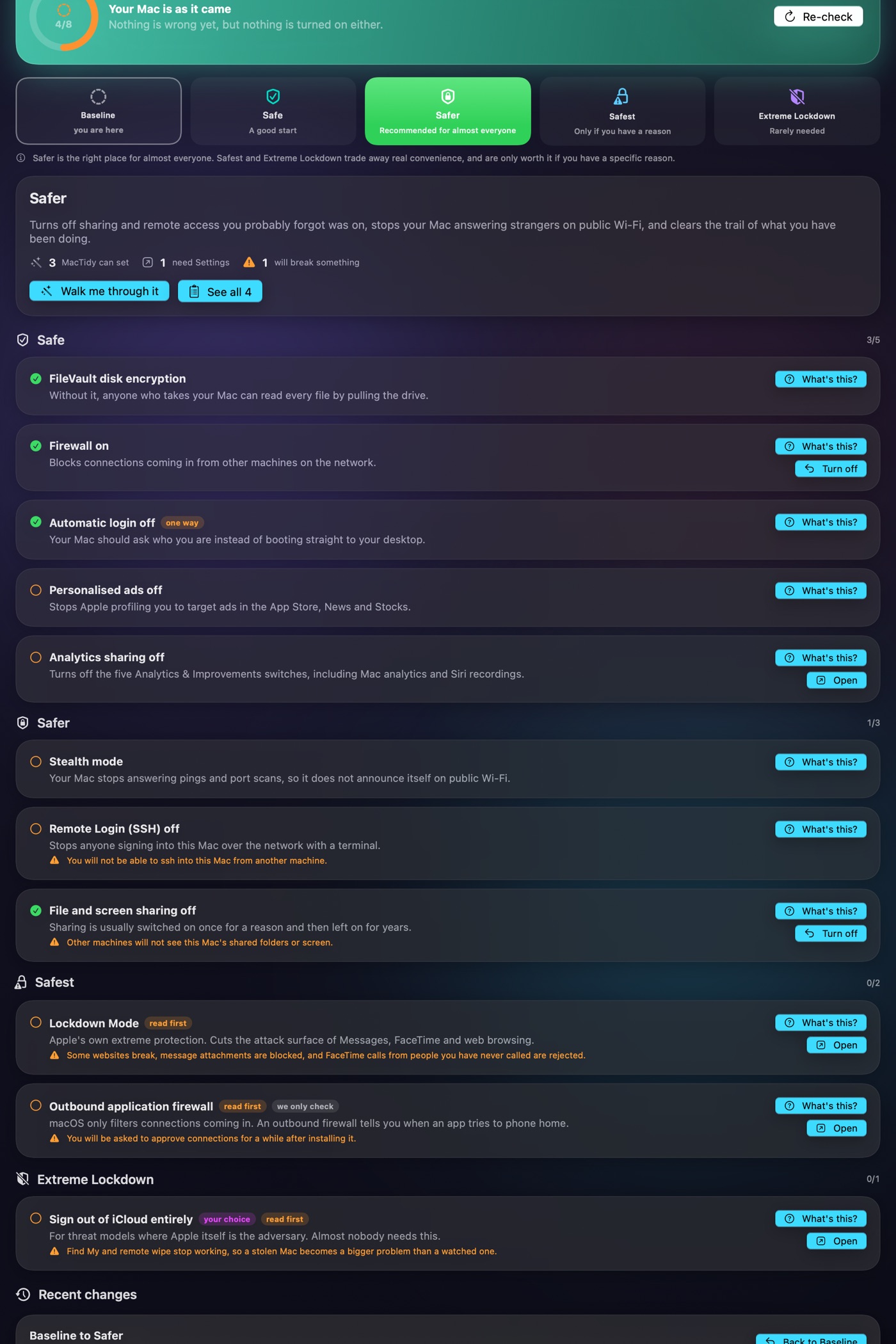
Just upgraded to macOS 27?
An upgrade turns some settings back on and leaves several gigabytes of the old system behind. Here is what to check, in order.
The part other cleaners skip
You see everything first
Most cleaning tools ask you to trust a progress bar. MacTidy hands you the list instead. Every file, how big it is, and what it was for. Untick anything you want to keep.
It tells you what breaks
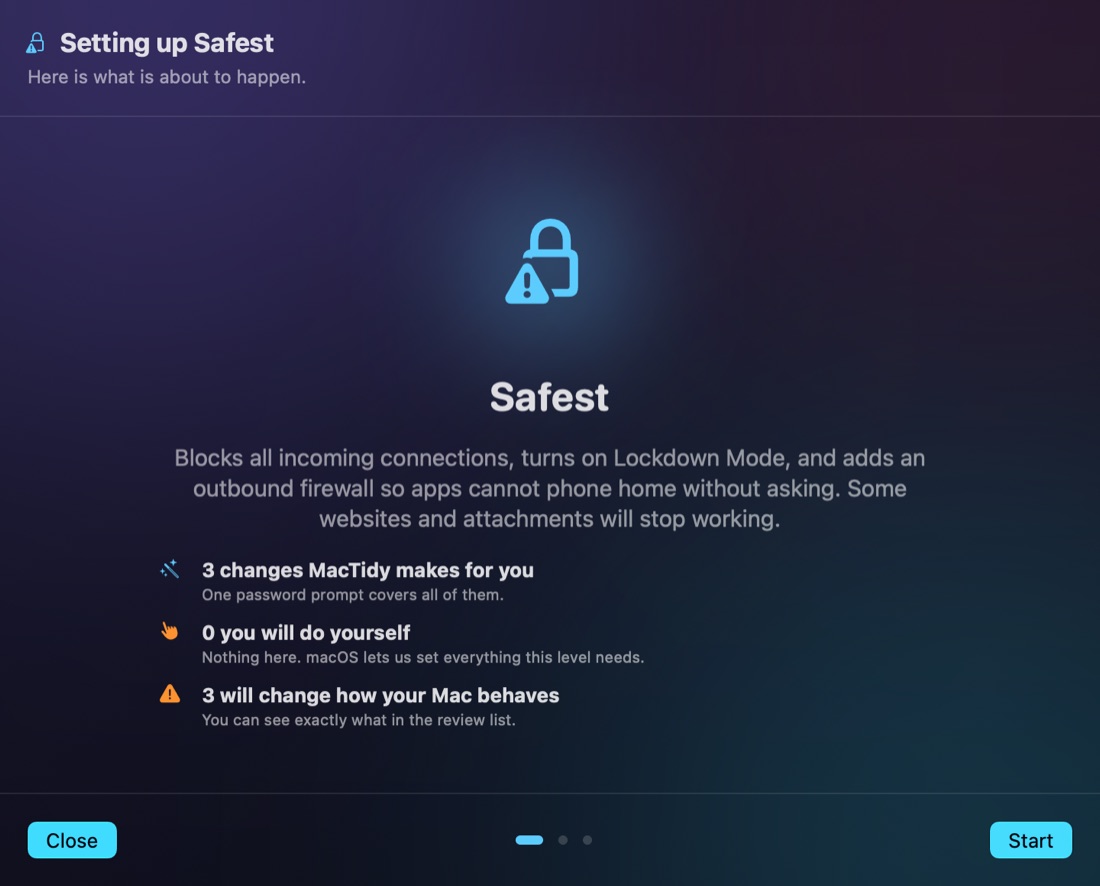
Turning off Remote Login is good for most people. It also means you cannot ssh into that Mac any more. MacTidy says so on the row, before you tick it, not after.
It will not decide for you
Settings with a real cost stay off until you have read what they do. There is no quiet default that switches something on because it sounded safer.
It admits what it cannot see
Some settings are locked away from apps by macOS. MacTidy opens the right page, then says plainly that it cannot read that one back and asks you to confirm.
Security
Pick a level. Read the cost. Then decide.
Five levels, from Baseline to Extreme Lockdown. Each one is a named destination, not a pile of switches. MacTidy makes the changes it can make, then walks you through the ones macOS reserves for you.
Every setting has an explainer
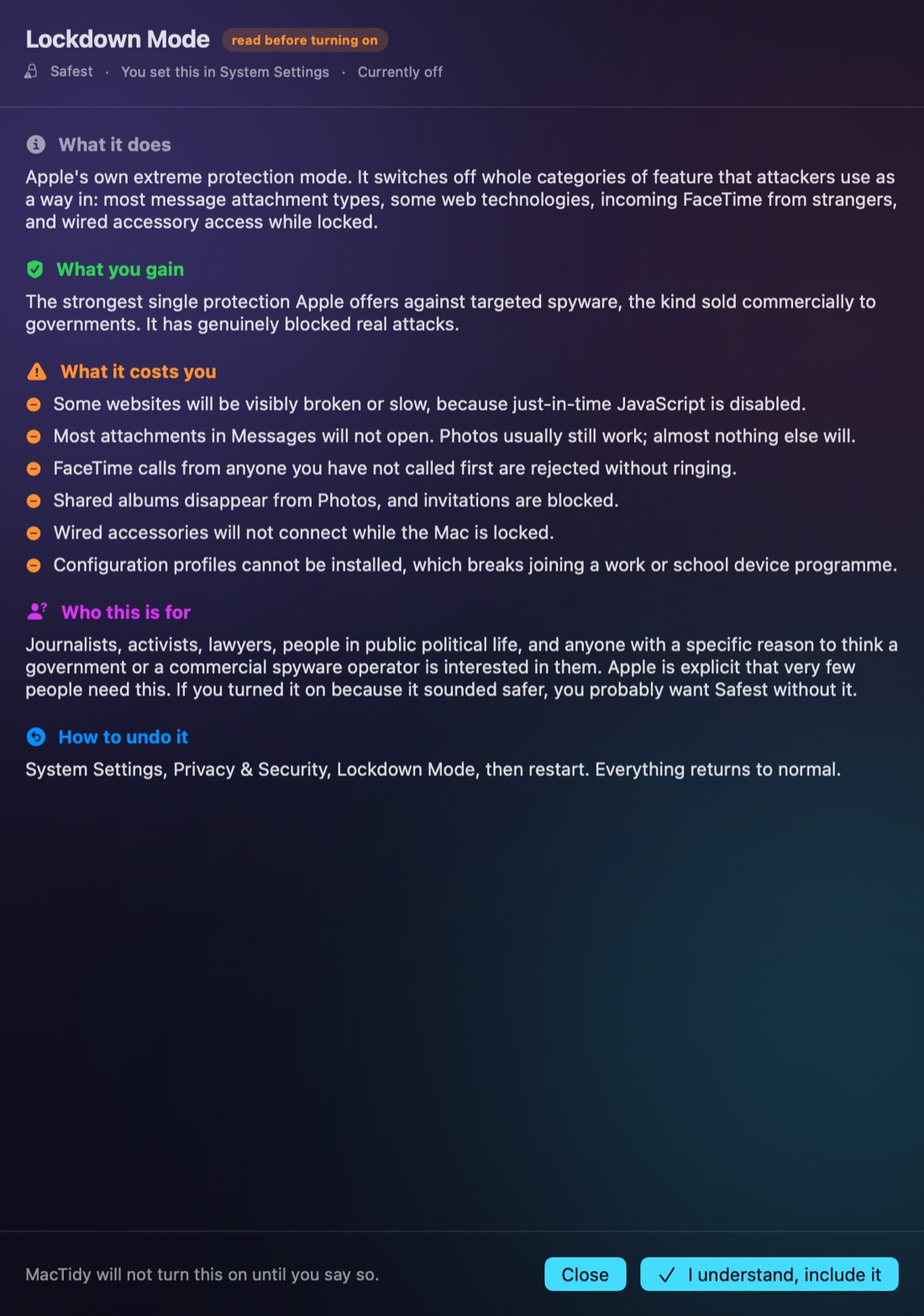
Before anything is turned on you can read what it does, what you gain, what it costs you, who it is actually for, and how to undo it. The costs are specific.
- Safer is recommended for almost everyone.
- Safest is marked "only if you have a reason".
- Extreme Lockdown is marked "rarely needed", and says so.
Privacy
What leaves your Mac
A short answer, because you should not have to read a policy to find it. Your files never leave this Mac.
Malware checks
MacTidy downloads a list of known malware fingerprints and compares files against it on your Mac. Your files are not uploaded to be scanned.
The AI features
They talk to a model running on your own machine, through LM Studio or Ollama. If you do not run one, the features stay off.
Your licence key
Checked with our payment provider so the subscription works. That is a key and a device name. Nothing about your files.
In the box
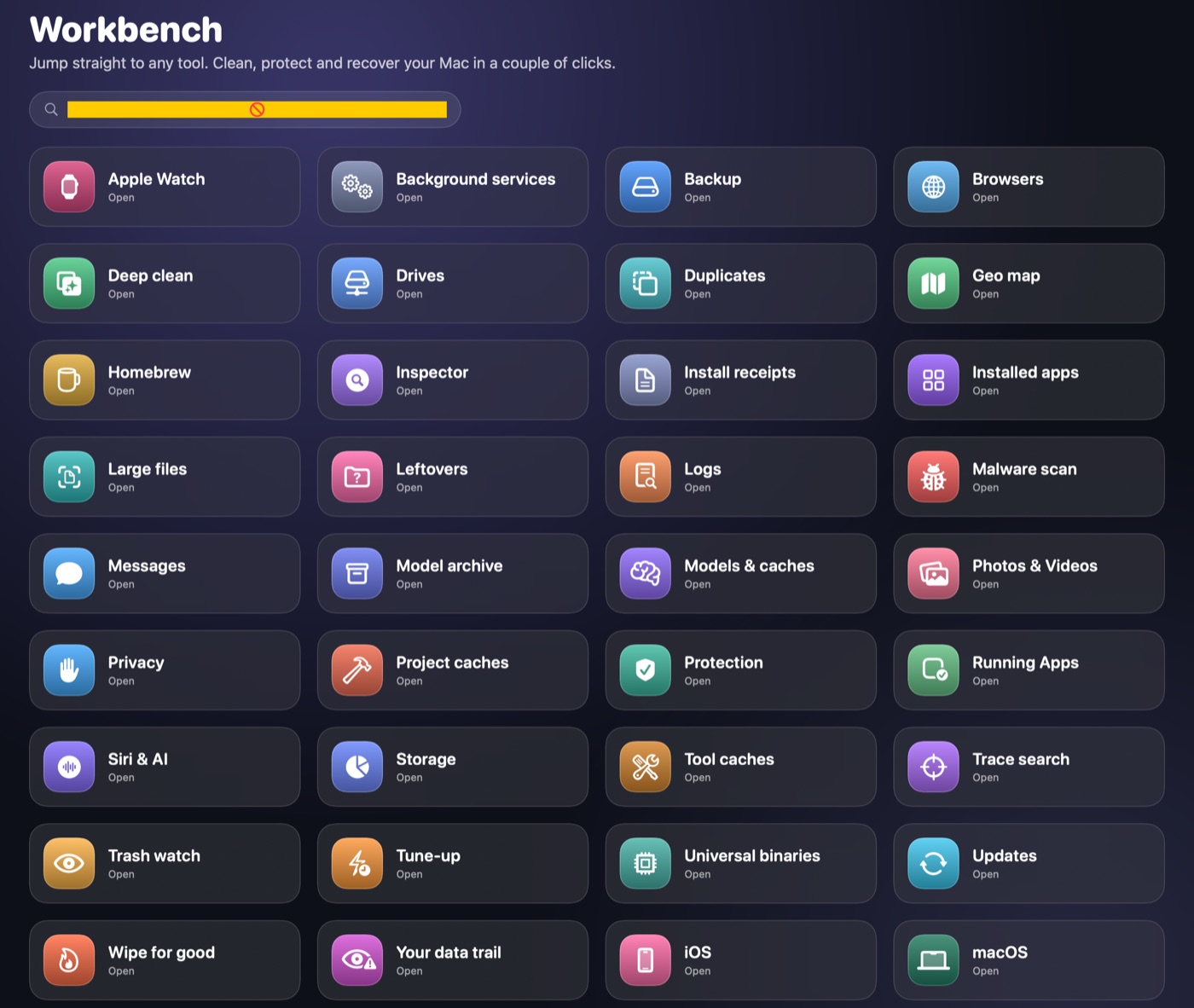
One app, not nine
Clean
Caches, logs, old downloads, and the leftovers from apps you removed years ago.
Protect
Checks files against known malware. Shows which apps can reach your screen, mic and camera.
Recover
Gets back files you deleted by mistake. It often works. It is not a guarantee.
Understand
A map of your drive, what is running, and what starts itself at login.
Try it on your own Mac
Fifteen days, everything unlocked. Then $19.99 a year. Cancelling is one button in the app.