MacTidy
Features
One app, not nine
Every tool works the same way. It looks, it shows you what it found with a size beside each item, and it waits. Nothing is removed until you press the button.
Pulse
One scan across the whole Mac: space to reclaim, updates waiting, security settings, disk and memory. It ends with a plain list, not a score you cannot act on.
Purge
Caches, logs, old downloads and the leftovers from apps you removed years ago. Every item shows its size and what it was for.
Security Level
Five named levels with the cost of each setting spelled out. MacTidy makes the changes it can and walks you through the rest. How it works
Malware scan
Checks what starts itself at login, what you downloaded recently and any configuration profiles. Flags unsigned code, odd locations and fingerprints on a known-malware list. What it can and cannot catch
Privacy
Which apps can reach your screen, microphone and camera. Clears your clipboard, your Siri and AI history, and the recordings sitting on the drive.
Tune-Up
Switches off the startup items you forgot about and frees inactive memory. Shows what is running and what stopped responding.
Apps & Updates
Uninstalls apps properly, leftovers and all. Updates what you have from Homebrew and the App Store, and finds universal binaries you can thin.
Files & Photos
Duplicates, large files, and photos saved twice. With a preview, because a filename is not enough to decide.
Storage
A map of the drive, so you can see what is actually using the space rather than guessing at folders.
Data Recovery
Gets back files you deleted by mistake, from this Mac or a connected drive. It often works. Nobody can promise it always will, and we do not.
Secure Wipe
Erases files so they cannot be pulled back. For when deleting is not enough.
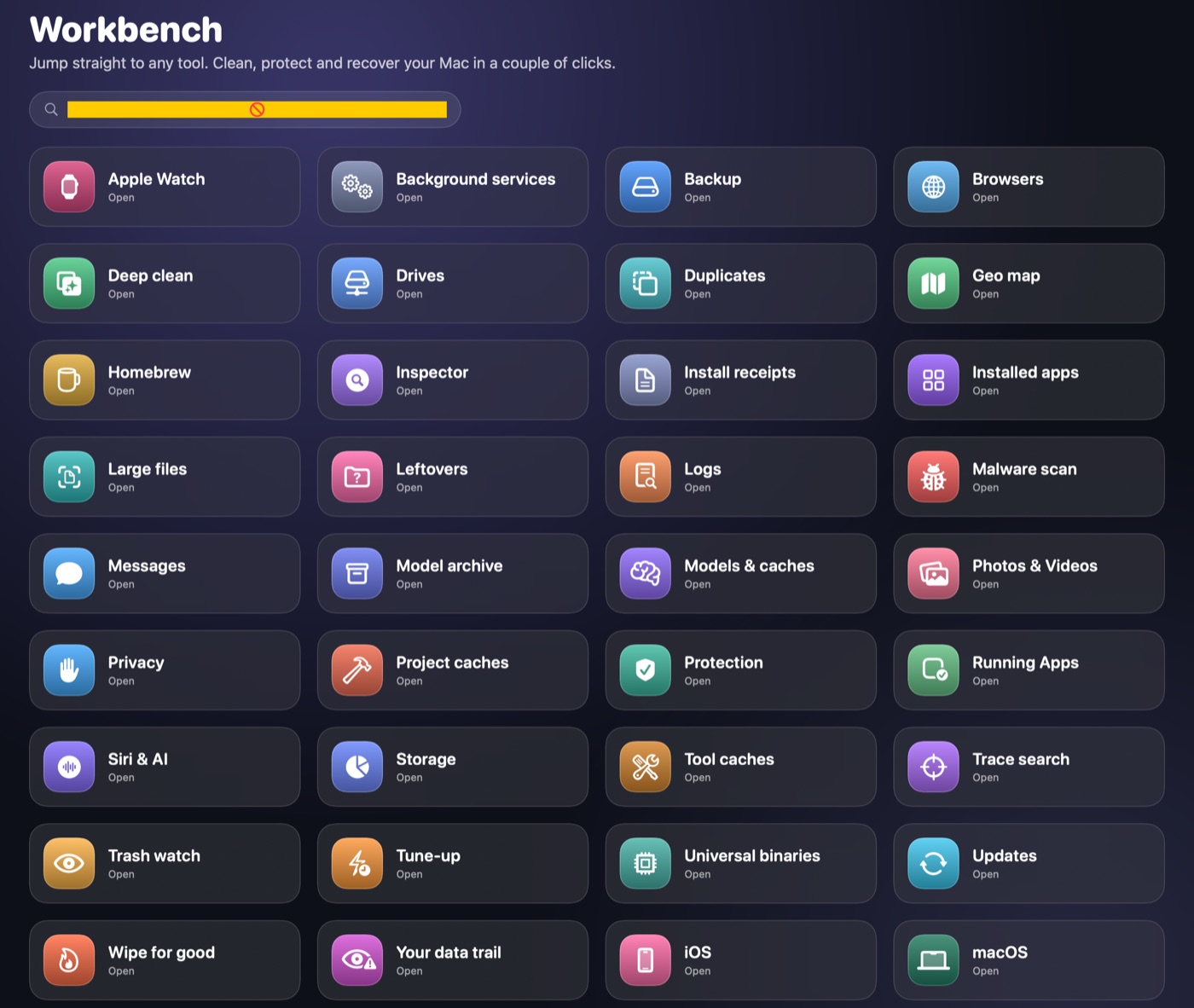
Workbench
Every tool in one searchable grid, including the smaller ones: trace search, install receipts, background services, browser installs.
Always there
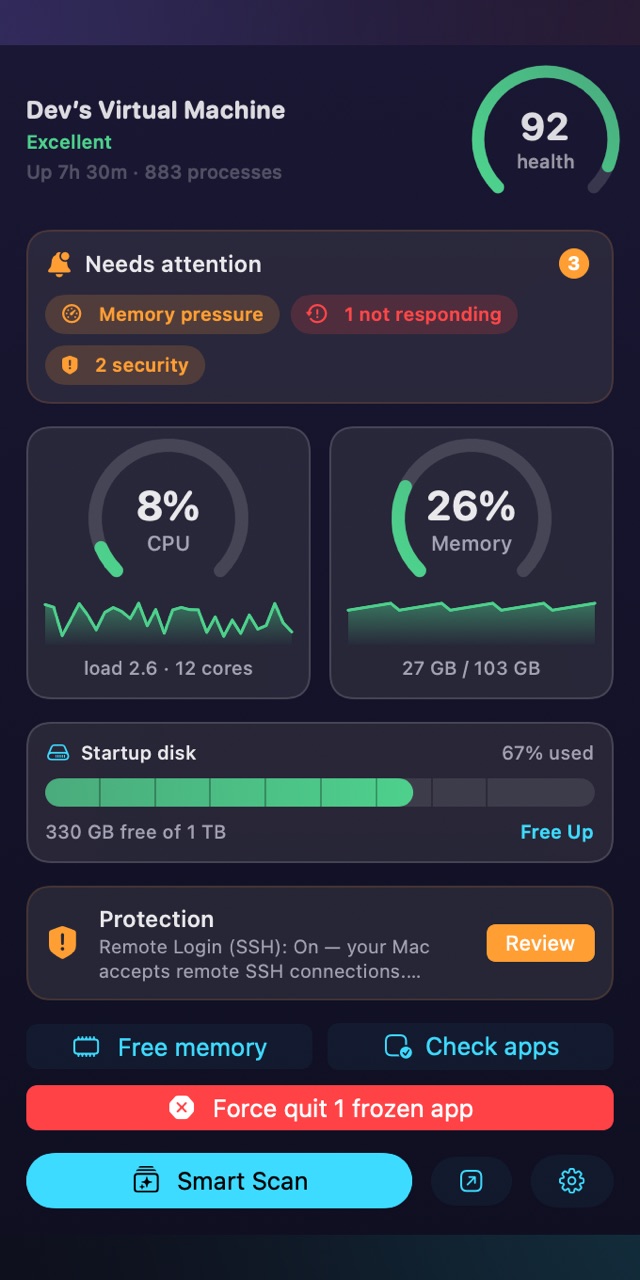
A readout in the menu bar
Health, CPU, memory, disk and whether your protections are still on. It updates while you work, and you can free memory or check for frozen apps without opening the app itself.
If something needs attention it says what, and one click takes you to it.
The rule
The list comes first, every time
This is the part worth repeating, because it is the one thing that separates MacTidy from the category. There is no mode where it cleans first and tells you after.
Every screen ends in a list with a tickbox and a size. Untick what you want to keep. The button at the bottom says exactly what it is about to do, and until you press it, nothing has changed.